
EDUTRIO
Academy operations in one place, from the first consultation through classes, learning and billing — with AI that cuts your teachers' paperwork.
EDUTRIO is an all-in-one platform for academies that brings LMS, ERP and CRM together. Consultation and enrollment, class placement and attendance, billing and refunds, and parent communication are all handled in one system, while AI drafts consultation summaries and follow-up messages, report comments, lesson logs and parent messages, and scores students' speaking and marks up their writing straight away.
A good fit for · Language academies, supplementary academies and small teaching centres (Korea's private institute categories)
The problems it solves
Key features
Consultation & enrollment (CRM)
Consultation notes, level tests and enrollment
Classes, timetables & attendance
Class placement, timetables, attendance and make-up classes
Billing & refunds
Tuition invoicing and payments, with refunds calculated by the statutory formula (Korea's Private Institute Act)
Learning content
English learning content with homework and tests
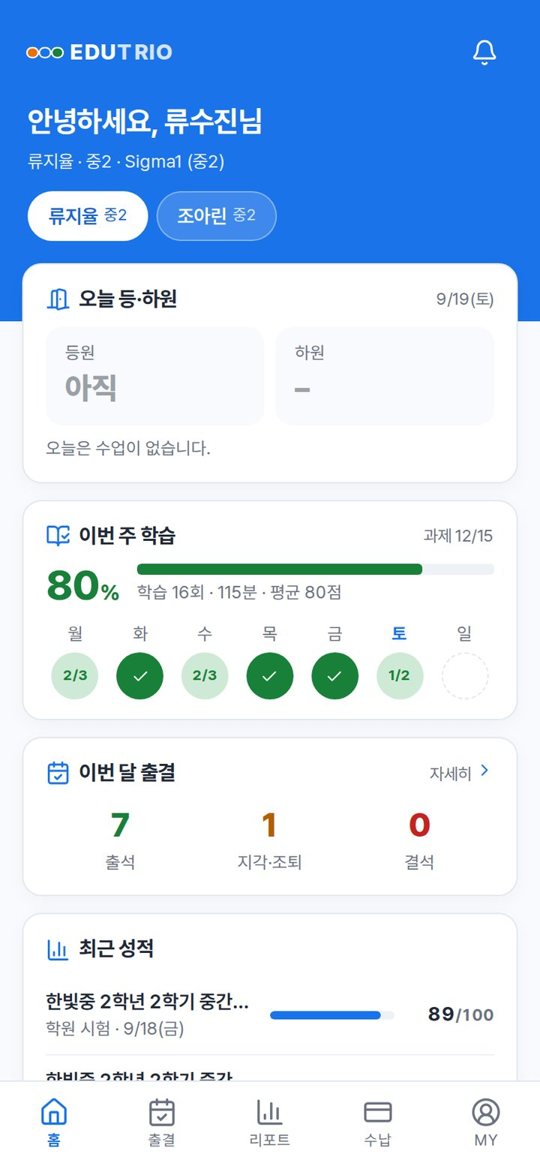
Parent app
Attendance, learning reports, notices and billing information
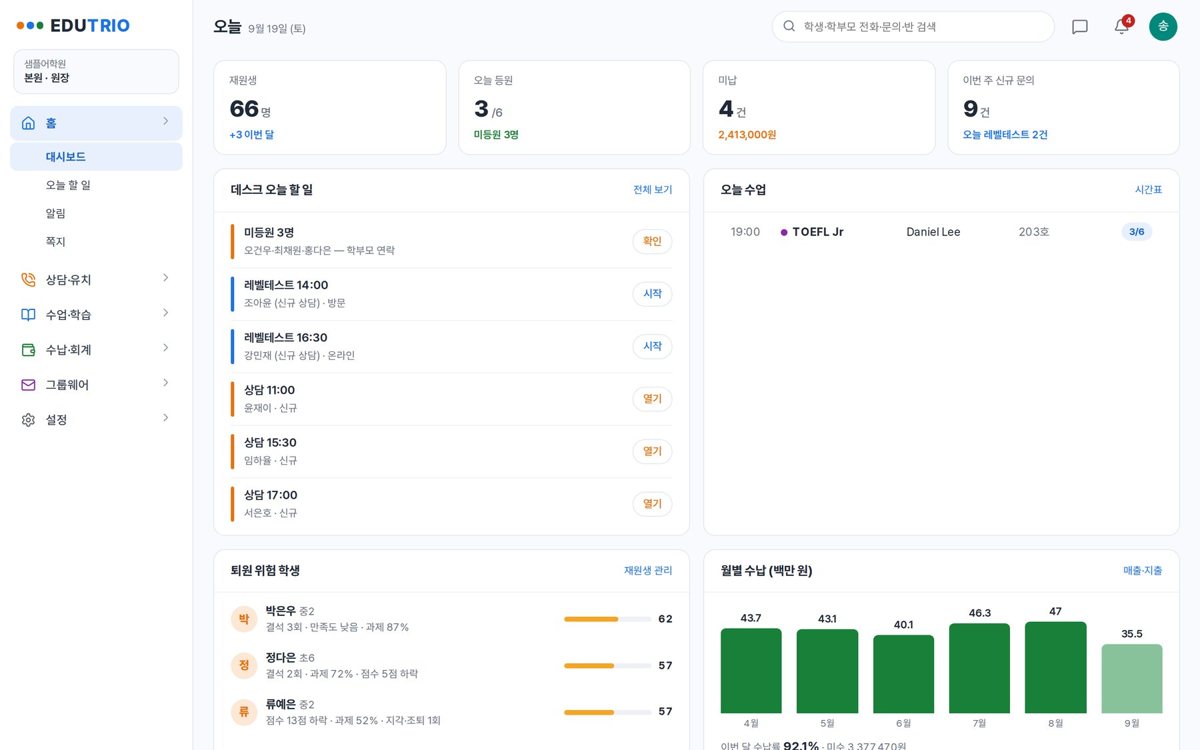
Director dashboard
Enrollment, revenue and attendance on one screen
Screens
Click an image to see it larger.
AI features
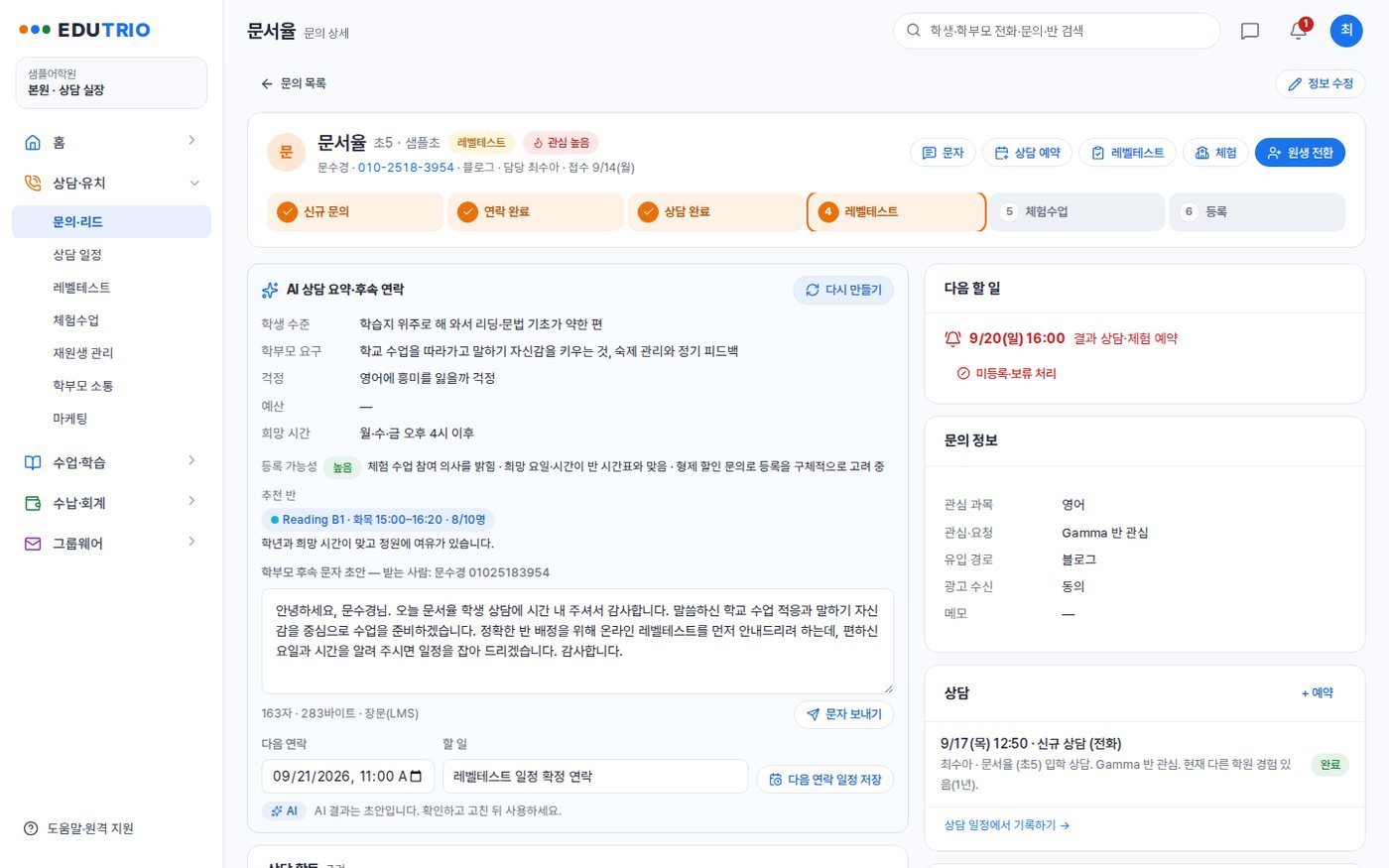
Consultation summary & follow-up
Turns consultation notes into the student's level, what the parent wants, enrollment likelihood and a suggested class, then proposes the follow-up message to the parent and the next contact date.
Report comments & lesson logs
Drafts the monthly report comment from attendance, missions and score trends, and fills in what was covered, the homework and the note to parents from a few keywords.
Parent messages & consultation guide
Give it the purpose and the key points and it writes two versions, one polite and one short; for students at risk of leaving it reads the causes and suggests consultation questions and wording for the call home.
Ask the director's AI
Ask something like “this month’s new inquiries and the conversion rate” and it looks up enrollment, inquiries, arrears, revenue, attendance and homework, and answers with figures and a table.
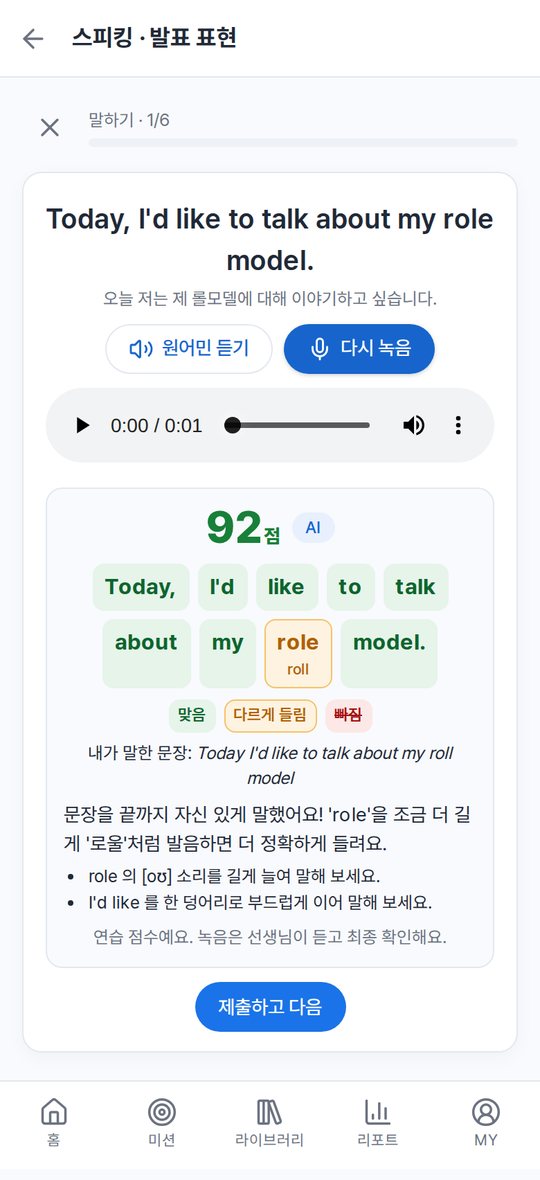
Speaking scores & writing feedback
When a student records, each word is marked as correct, heard differently or missing, with a practice score and pronunciation tips; written work comes back on submission with the corrected sentence and the reason.
AI generation for content & textbook PDFs
Builds meaning, example and quiz sets from words or sentences, and fills in the missing meanings and translations for words and sentences pulled from a textbook PDF to draft a study set.
AI features are optional and are configured around your own data and workflows.
How deployment works
Consultation & demo
We listen to how you work and go through the features together on the demo site.
Requirements
We separate what the standard features cover from what needs custom development.
Setup & custom development
We configure your organisation, permissions and forms, and develop the features you need.
Data migration & training
We move your existing data and train administrators and users.
Go-live & operation
After go-live we continue with maintenance and improvements.
On-premise build
We install it on your own servers or cloud and add custom development. The scope of source code provided is set in the contract.
Subscription
You use it directly on the MEGAPARK cloud, month by month with no upfront cost.
FAQ
Can we try a demo first?
How much does it cost?
Can we use it if we are not an English academy?
Can you migrate student records from the academy software we use now?
What do we need in order to use the AI features?
Is it safe for student and parent data to go out to the AI?
Other solutions
MEGAWORK ERP
Accounting, tax, HR, sales and inventory with electronic approval in one place — and an AI assistant on top.
CRMMEGAWORK CRM
Manage leads, the sales pipeline, customer activity and quotes, with an AI sales assistant to summarise and suggest.
LMSEDUSONIC
A learning management system (LMS) for local government public academies and education foundations. Recruitment and selection through diagnosis, classes, assessment, mentoring, attendance, growth reports and performance indicators, all run in one system.
Attendance LMS for international studentsAulavo
On-site classes, Zoom sessions and recorded replays in one attendance register, with AI captions, translation and a study helper in 4 languages.
Try EDUTRIO
as a demo first
You can request demo account details or a live walkthrough over video. Custom development and AI features are mapped out together during the consultation.