
MEGAWORK ERP
Accounting, tax, HR, sales and inventory with electronic approval in one place — and an AI assistant on top.
MEGAWORK ERP is a business system that brings ERP and groupware together for small and mid-sized companies. Accounting, tax, treasury, HR, payroll, attendance, sales, purchasing and inventory run on the same data as electronic approval, messenger, calendar and electronic contracts. Connect your company's own AI API key and the AI also helps with reading receipts, management questions, document drafts and anomaly detection.
A good fit for · Small and mid-sized companies, organisations where several departments share approvals, inventory and accounting, and companies with a small accounting team carrying a heavy input and review load
The problems it solves
Key features
Accounting & finance
Purchase and sales vouchers, general journal entries, the full set of books, closing and financial statements, management accounting by department and project
Transaction capture & tax
Collection of tax invoices (Korean e-Tax invoice), card and bank account records with automatic journal entries, VAT (Korea) and withholding tax returns, year-end tax settlement (Korea)
Treasury
All accounts at a glance, daily cash report, deposit and borrowing schedules, cash flow plan against actuals
Sales, purchasing & inventory
Quote → order → shipment → sales close, purchase order → receipt → purchase close, inventory and inventory valuation by warehouse
HR, payroll & attendance
Employee records and assignments, payroll with Korea's four major insurances and income tax calculated automatically, clock-in/out on PC and mobile, annual leave management
Electronic approval tied into the ERP
Expense reports, purchase requests, HR assignments and travel expenses post to the ERP the moment the approval completes
Groupware & electronic contracts
Messenger, calendar, resource booking, boards and task management, plus form-based electronic contracts
Permissions & security
Menu permissions per permission group, two-factor authentication, access IP restrictions, activity and access logs
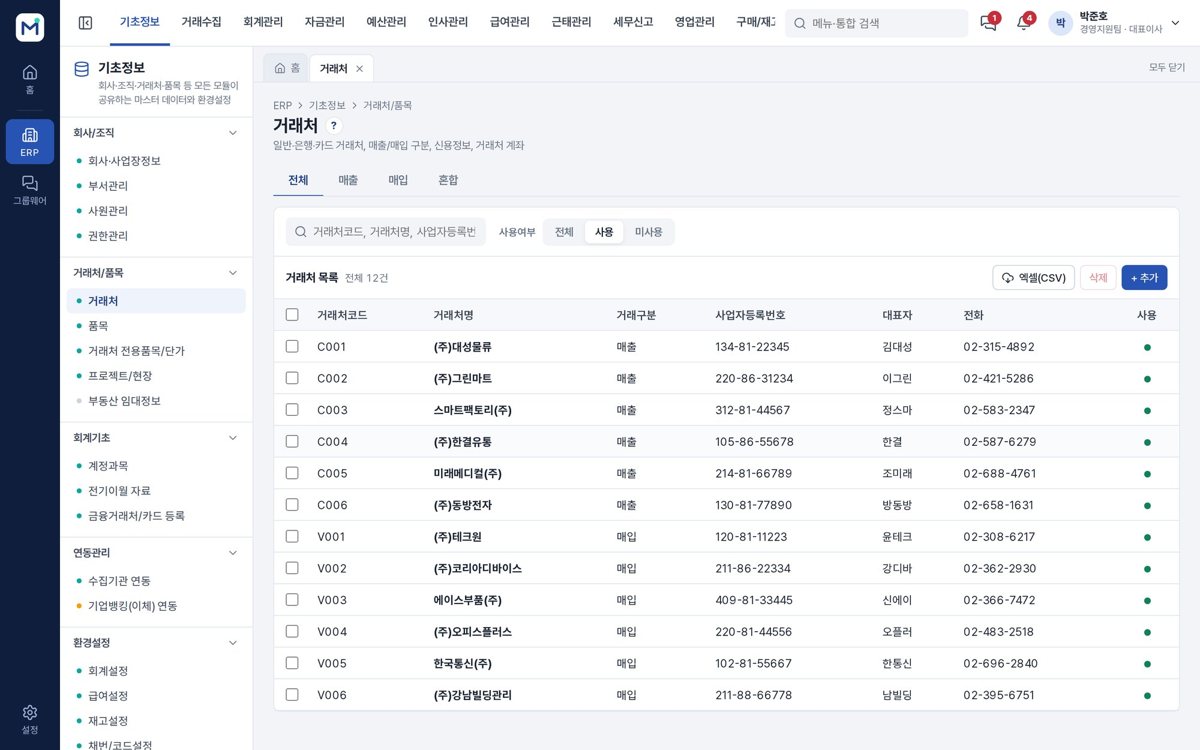
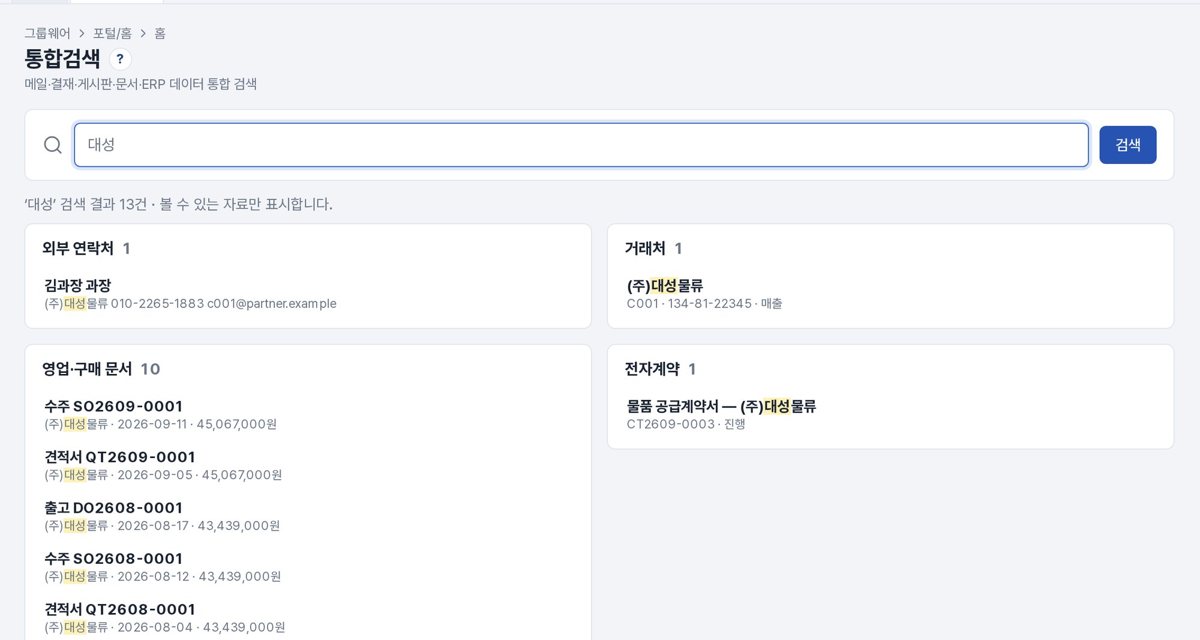
Screens
Click an image to see it larger.
AI features
Receipt → journal entry
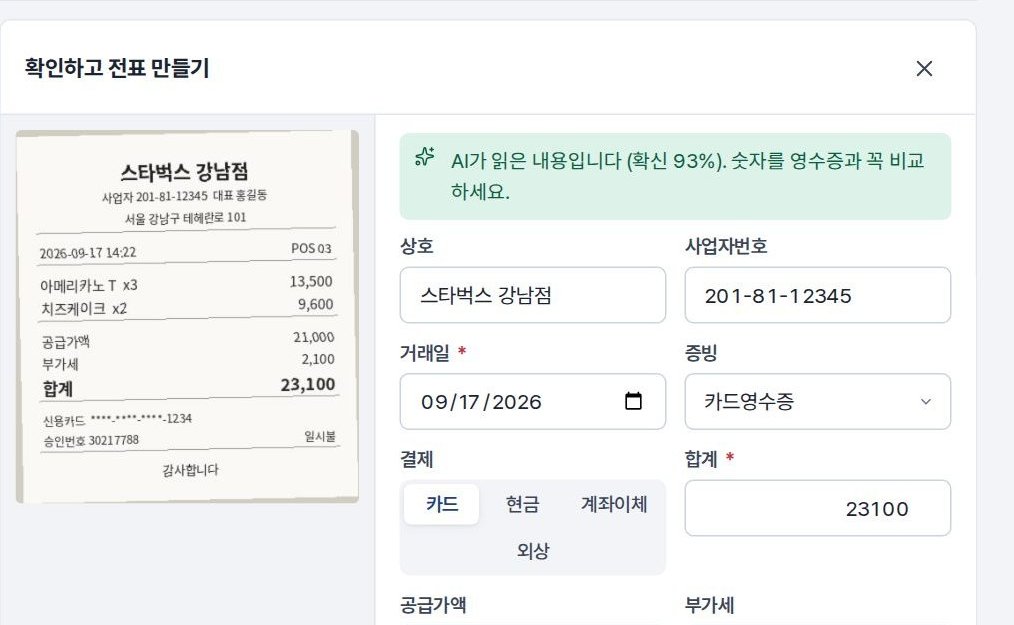
Upload a photo of a receipt or tax invoice and the AI reads it, suggests the account, the counterparty and the VAT type, and turns it into a draft journal entry.
Management questions in plain words
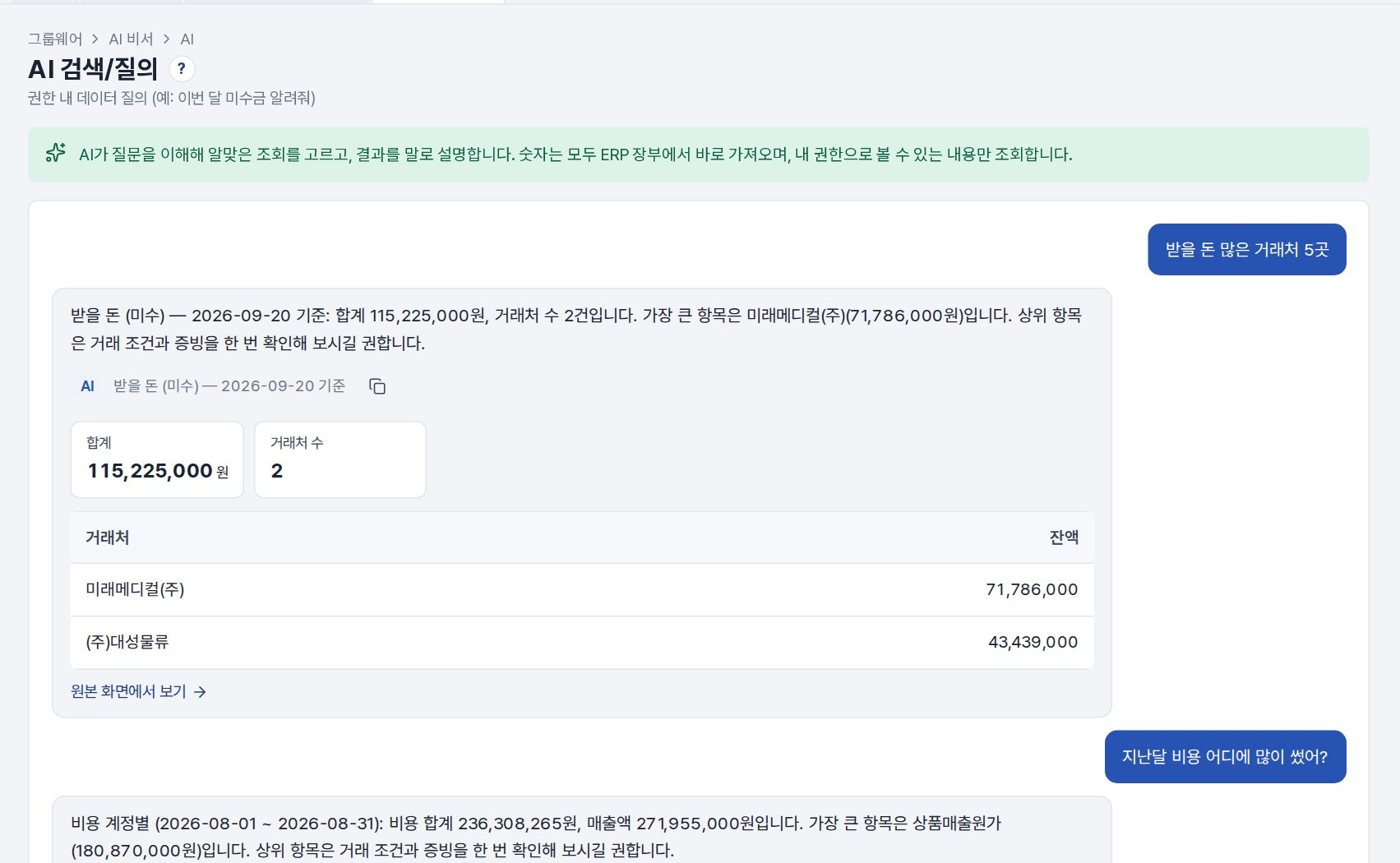
Ask something like “the five customers that owe us the most” and it looks it up in the books and answers with a table. It only queries what your own permissions allow.
Approval and mail drafts and summaries
It writes drafts of expense reports, purchase requests and emails and hands them over as a saved approval draft. Meeting minutes and PDFs are summarised with the action items pulled out.
Contract review
It sets out the clauses to watch — automatic renewal, penalties, indemnity, unilateral termination — together with suggested edits and notice deadlines.
ERP anomaly detection
It gathers and flags duplicate vouchers, sudden cost increases, weekend card use, errors in VAT deduction on entertainment expenses and vouchers left unapproved for too long.
AI features are optional and are configured around your own data and workflows.
How deployment works
Consultation & demo
We listen to how you work and go through the features together on the demo site.
Requirements
We separate what the standard features cover from what needs custom development.
Setup & custom development
We configure your organisation, permissions and forms, and develop the features you need.
Data migration & training
We move your existing data and train administrators and users.
Go-live & operation
After go-live we continue with maintenance and improvements.
On-premise build
We install it on your own servers or cloud and add custom development. The scope of source code provided is set in the contract.
Subscription
You use it directly on the MEGAPARK cloud, month by month with no upfront cost.
FAQ
Can we try a demo first?
How much does it cost?
Can it connect to the accounting program we use now?
What do we need in order to use the AI features?
Is it safe for our company data to go out to an AI?
Other solutions
MEGAWORK CRM
Manage leads, the sales pipeline, customer activity and quotes, with an AI sales assistant to summarise and suggest.
LMSEDUSONIC
A learning management system (LMS) for local government public academies and education foundations. Recruitment and selection through diagnosis, classes, assessment, mentoring, attendance, growth reports and performance indicators, all run in one system.
Academy management · LMS+ERP+CRMEDUTRIO
Academy operations in one place, from the first consultation through classes, learning and billing — with AI that cuts your teachers' paperwork.
Attendance LMS for international studentsAulavo
On-site classes, Zoom sessions and recorded replays in one attendance register, with AI captions, translation and a study helper in 4 languages.
Try MEGAWORK ERP
as a demo first
You can request demo account details or a live walkthrough over video. Custom development and AI features are mapped out together during the consultation.