
MEGAWORK CRM
Manage leads, the sales pipeline, customer activity and quotes, with an AI sales assistant to summarise and suggest.
MEGAWORK CRM is a customer management system that runs the whole sales process on one screen, from the moment an inquiry arrives through to the contract. Customer history stays in place even when the account owner changes, and if you connect your company's own AI API key, the AI assistant also helps with customer and deal summaries, next-action suggestions, meeting notes, business-card registration and first-response drafts for leads.
A good fit for · Sales and consultation teams, and companies with a high volume of consultations such as education and services
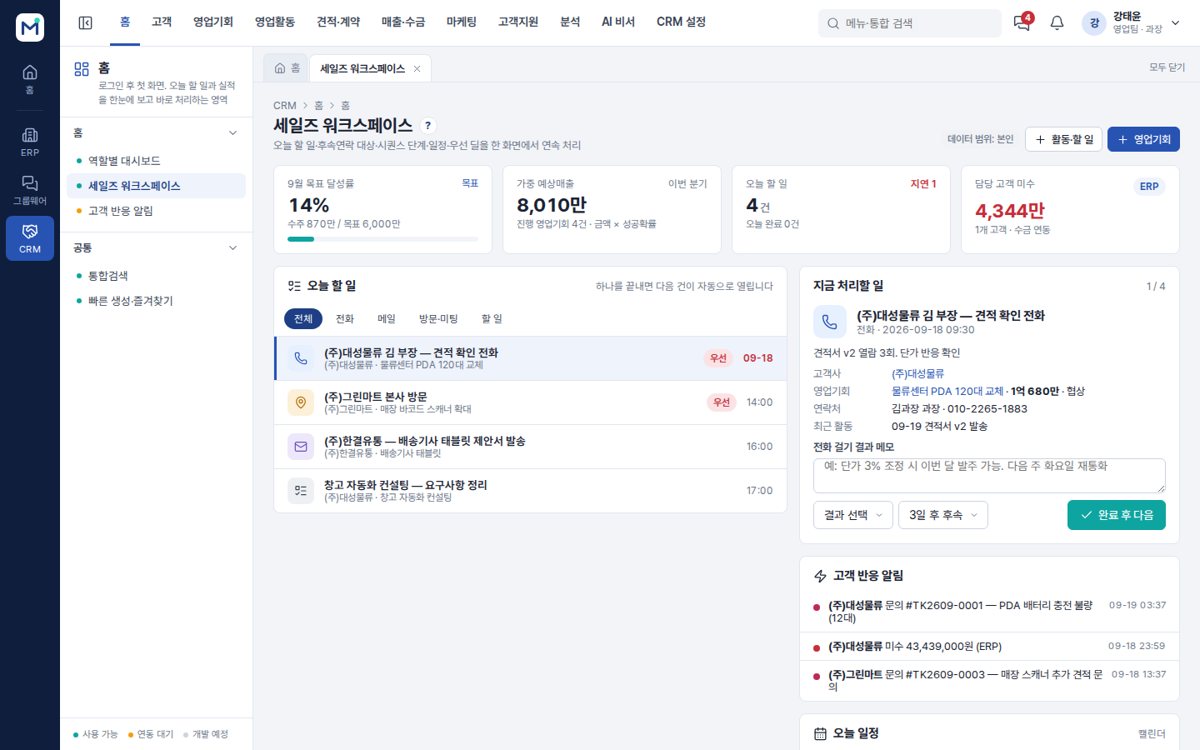
The problems it solves
Key features
Lead management
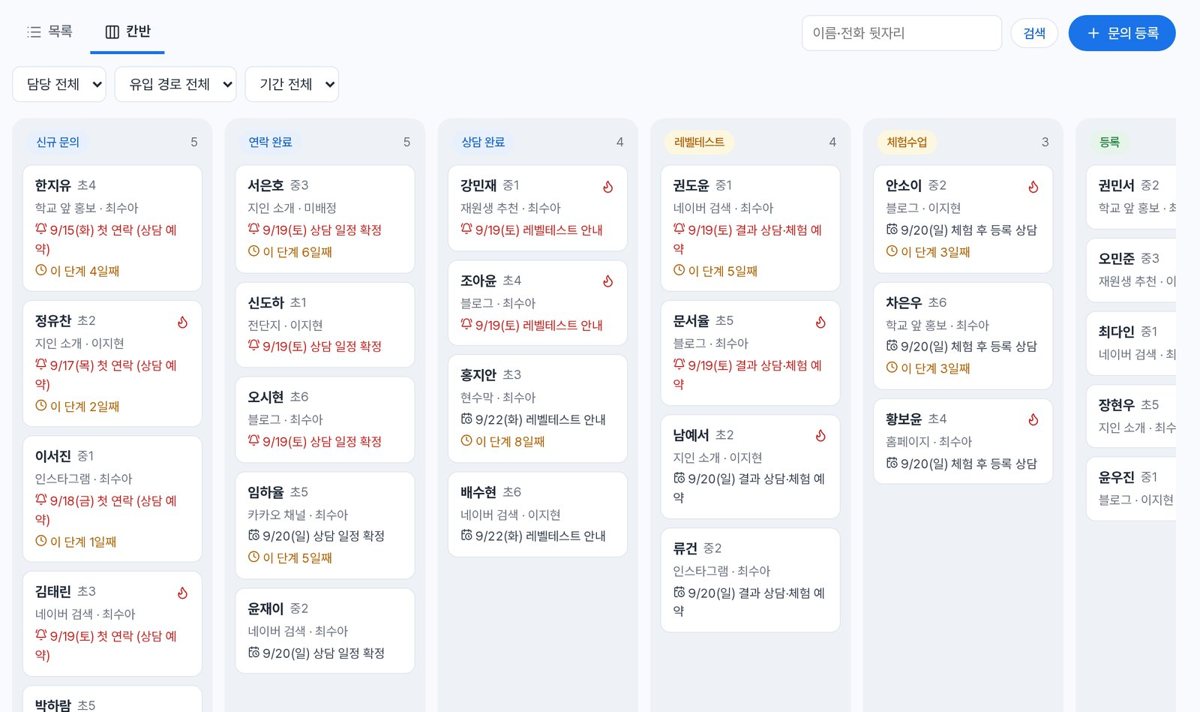
Inquiries from your website, phone and messenger collected in one place.
Sales pipeline
A stage-by-stage card board showing where everything stands.
Customer activity records
Consultations, calls and visits logged per customer.
Quotes & contracts
Writing quotes and managing contract status.
Campaigns & messaging
SMS and email sent by customer group
Reports
Performance and conversion rates by owner and period
Screens
Click an image to see it larger.
AI features
Sales questions in plain words
Ask something like “show me this month's deals at risk” and it looks up the pipeline, upcoming closes, unopened quotes and overdue receivables and answers with a table. It only queries within your own data scope.
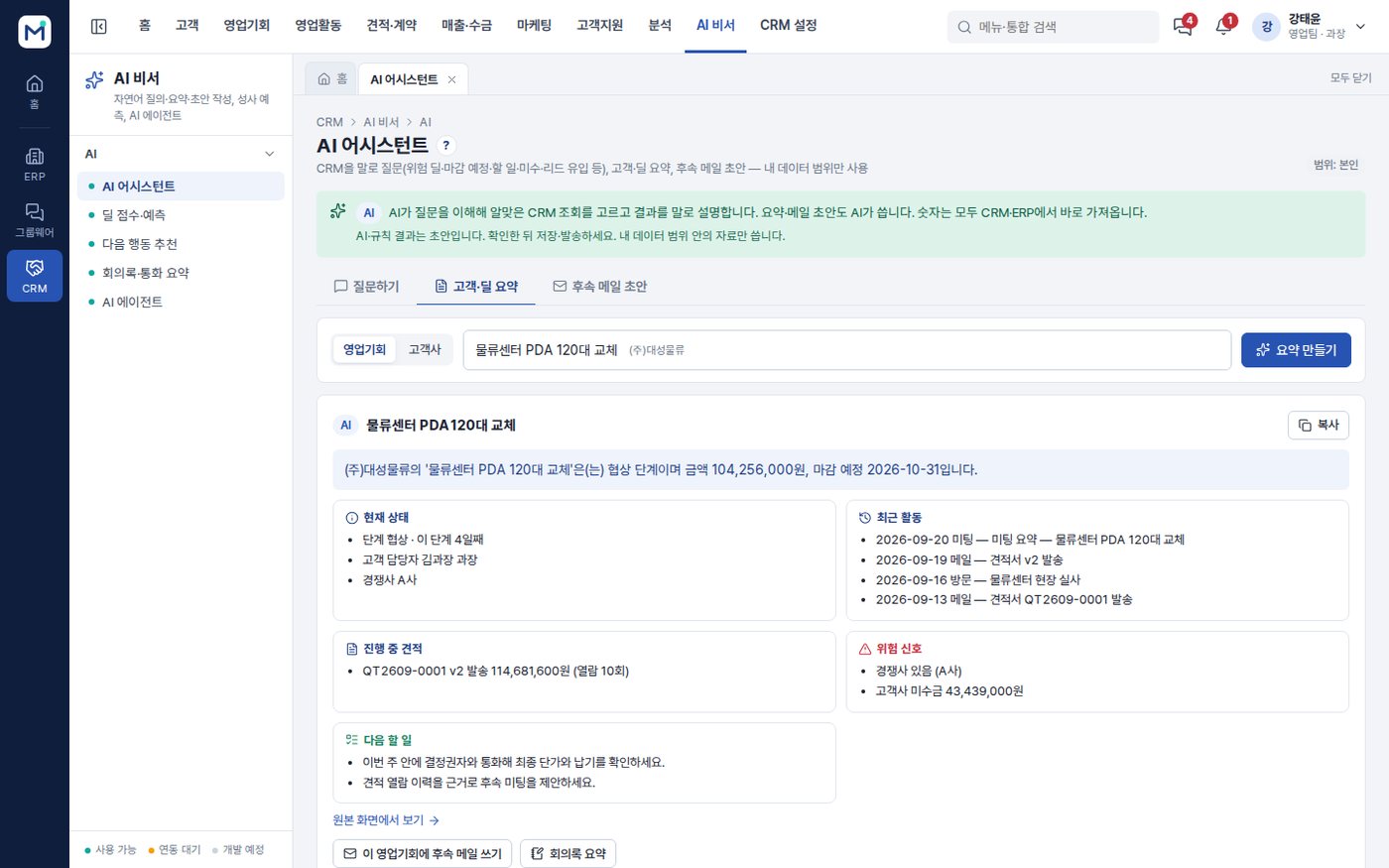
Customer and deal summaries with follow-up mail
It summarises an opportunity or account on a single page — current state, recent activity, open quotes, risk signals and next steps — and writes follow-up email drafts for the purpose you choose.
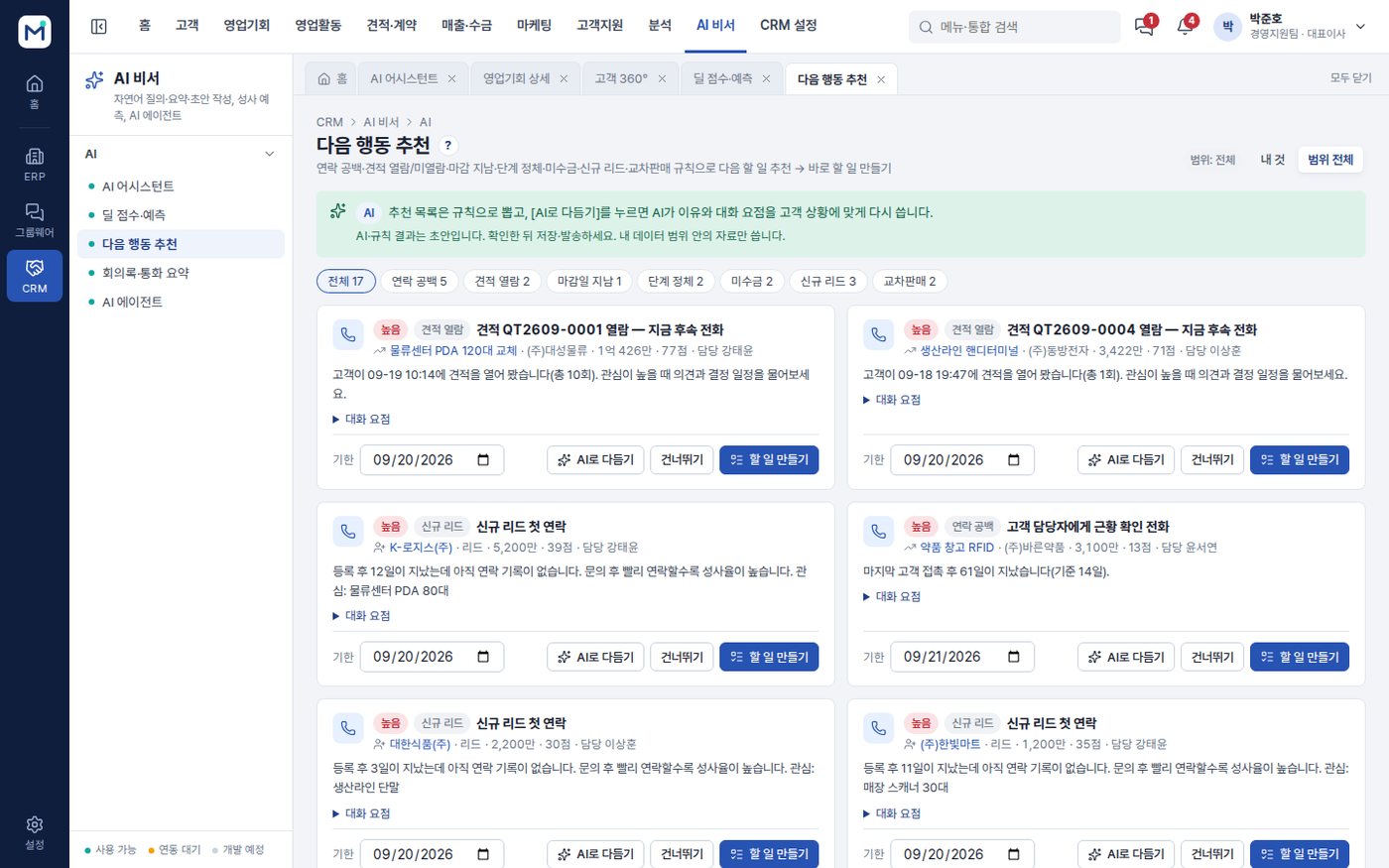
Deal score and next-action suggestions
It scores how well a deal is being managed from contact gaps, stalled stages, quote views and changed close dates, then ranks what to handle now and turns it straight into tasks.
Meeting and call summaries
Drop in notes, a transcript or a PDF and it sets out the summary, the decisions, the customer's requests and the next steps, along with suggested stage and amount changes, and saves it as an activity.
Business-card scanning
Photograph a business card with your phone and it reads the fields, checks for duplicates against existing customers and leads, and registers it as a lead or as an account and contact. The photo is not stored.
AI agent lead response
For each lead awaiting a response it assesses budget, decision authority, need and timing, and prepares a recommended owner and a first-response email draft. Applying it is left to a person.
AI features are optional and are configured around your own data and workflows.
How deployment works
Consultation & demo
We listen to how you work and go through the features together on the demo site.
Requirements
We separate what the standard features cover from what needs custom development.
Setup & custom development
We configure your organisation, permissions and forms, and develop the features you need.
Data migration & training
We move your existing data and train administrators and users.
Go-live & operation
After go-live we continue with maintenance and improvements.
On-premise build
We install it on your own servers or cloud and add custom development. The scope of source code provided is set in the contract.
Subscription
You use it directly on the MEGAPARK cloud, month by month with no upfront cost.
FAQ
Can we try a demo first?
How much does it cost?
Can website inquiries come straight into the CRM?
What do we need in order to use the AI features?
Is it safe for our customer data to go out to an AI?
Will the AI send emails or change our records on its own?
Other solutions
MEGAWORK ERP
Accounting, tax, HR, sales and inventory with electronic approval in one place — and an AI assistant on top.
LMSEDUSONIC
A learning management system (LMS) for local government public academies and education foundations. Recruitment and selection through diagnosis, classes, assessment, mentoring, attendance, growth reports and performance indicators, all run in one system.
Academy management · LMS+ERP+CRMEDUTRIO
Academy operations in one place, from the first consultation through classes, learning and billing — with AI that cuts your teachers' paperwork.
Attendance LMS for international studentsAulavo
On-site classes, Zoom sessions and recorded replays in one attendance register, with AI captions, translation and a study helper in 4 languages.
Try MEGAWORK CRM
as a demo first
You can request demo account details or a live walkthrough over video. Custom development and AI features are mapped out together during the consultation.