
Aulavo
On-site classes, Zoom sessions and recorded replays in one attendance register, with AI captions, translation and a study helper in 4 languages.
Aulavo is an attendance LMS for classes taught to international students. On-site classes, live Zoom classes and replays of recorded lectures are gathered into one attendance register, and attendance is credited on the basis of the segments actually watched. AI produces captions for recorded lectures, English·中文·Tiếng Việt translations, summaries, glossaries and answers to questions in the student's own language. AI is not used to decide attendance.
A good fit for · Universities, Korean-language institutes (어학당) and education providers running programmes for international students
The problems it solves
Key features
Unified attendance register
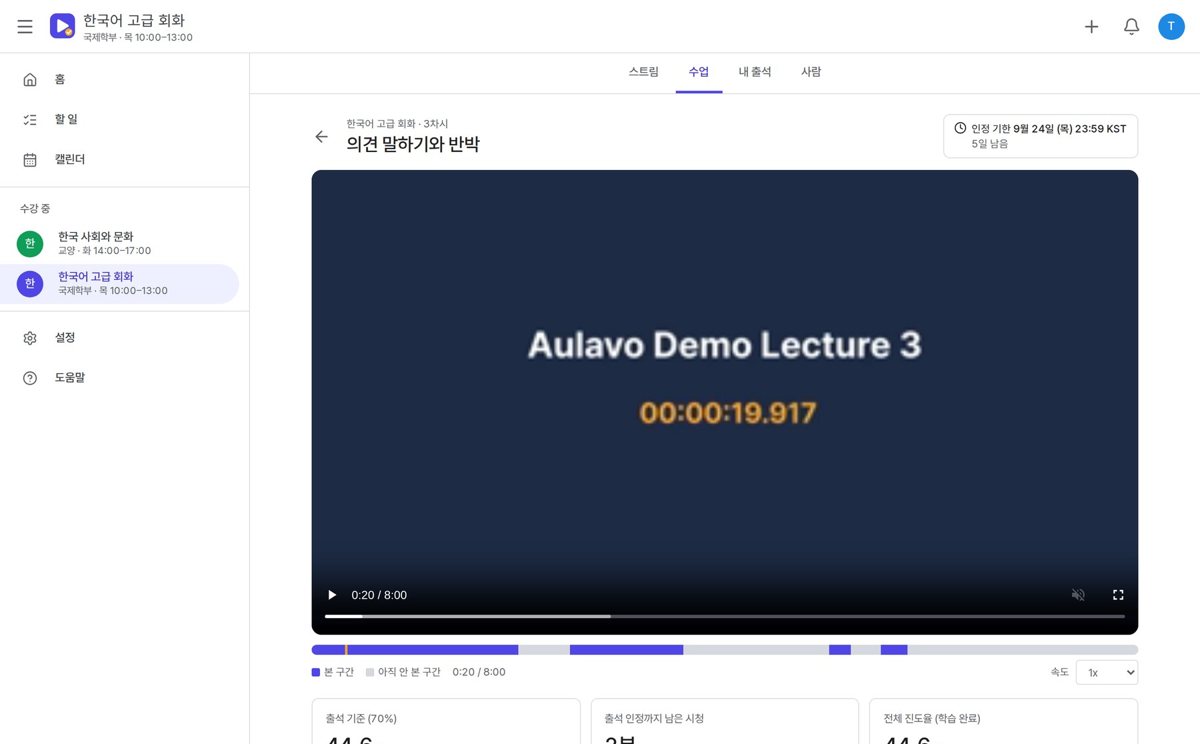
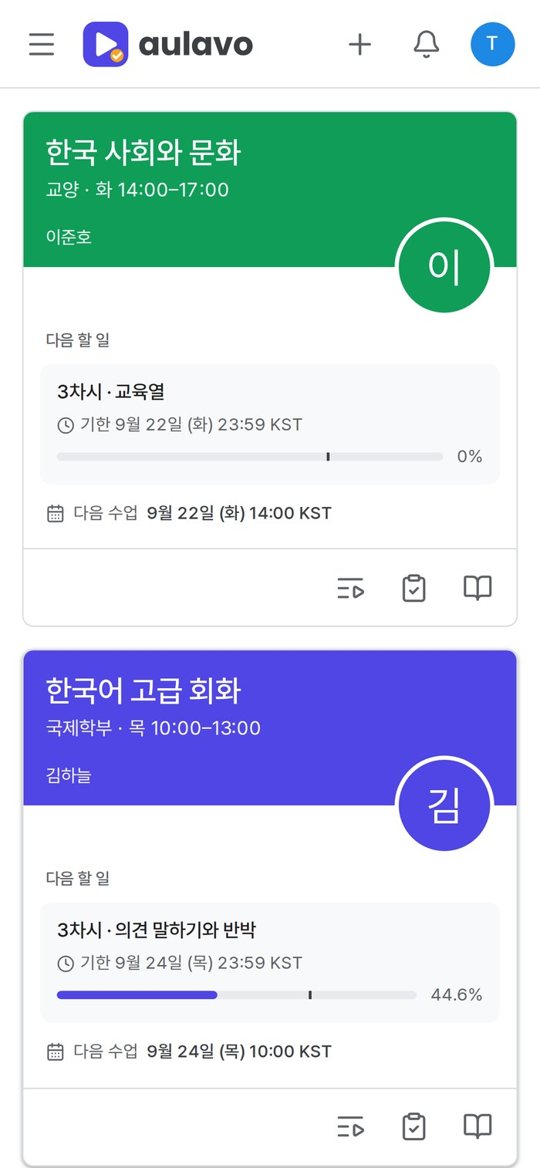
On-site, Zoom and recorded-replay attendance on one screen
Credit based on watched segments
Attendance credited on the basis of the segments actually watched
Attendance warnings
When the attendance rate falls below the threshold, the student and the staff member are notified
4 languages
Student screens and notices provided in 4 languages
Course management
Manage courses, sections, classrooms and Zoom links
Reports
Attendance-rate reports by student and by section
Screens
Click an image to see it larger.
AI features
Captions for recorded lectures
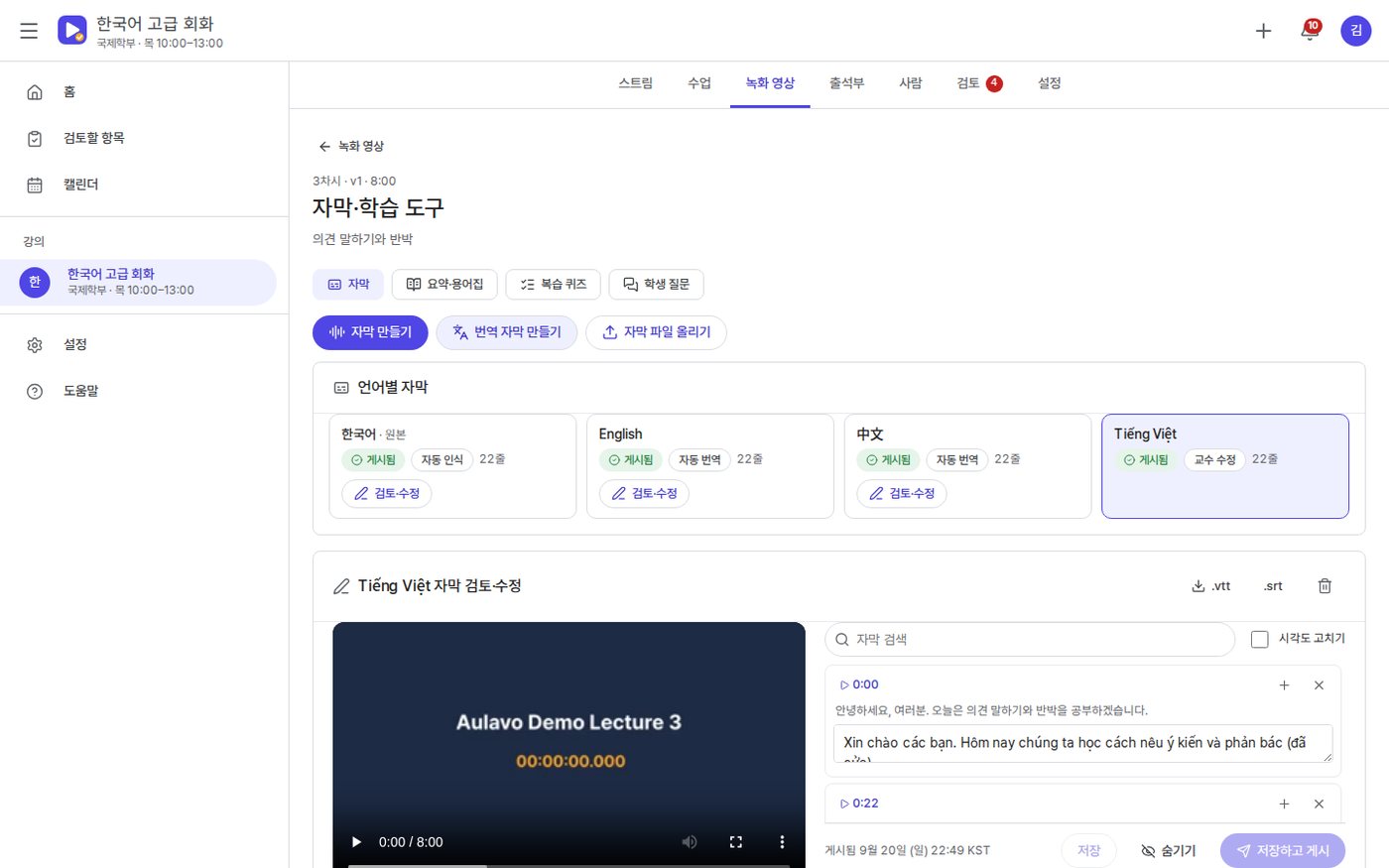
It recognises the speech in the recording and drafts Korean captions; the instructor clicks a timestamp to check them, edits them and then publishes.
Translated captions & notices
Korean captions are translated into English·中文·Tiếng Việt, with technical terms aligned against the course glossary. Course notices are also shown translated into the student's language.
Summaries, glossaries & review quizzes
From the captions it builds summaries, chapter markers, key terms and multiple-choice review quizzes in the student's language. These have no bearing on grades or attendance.
Lecture question helper
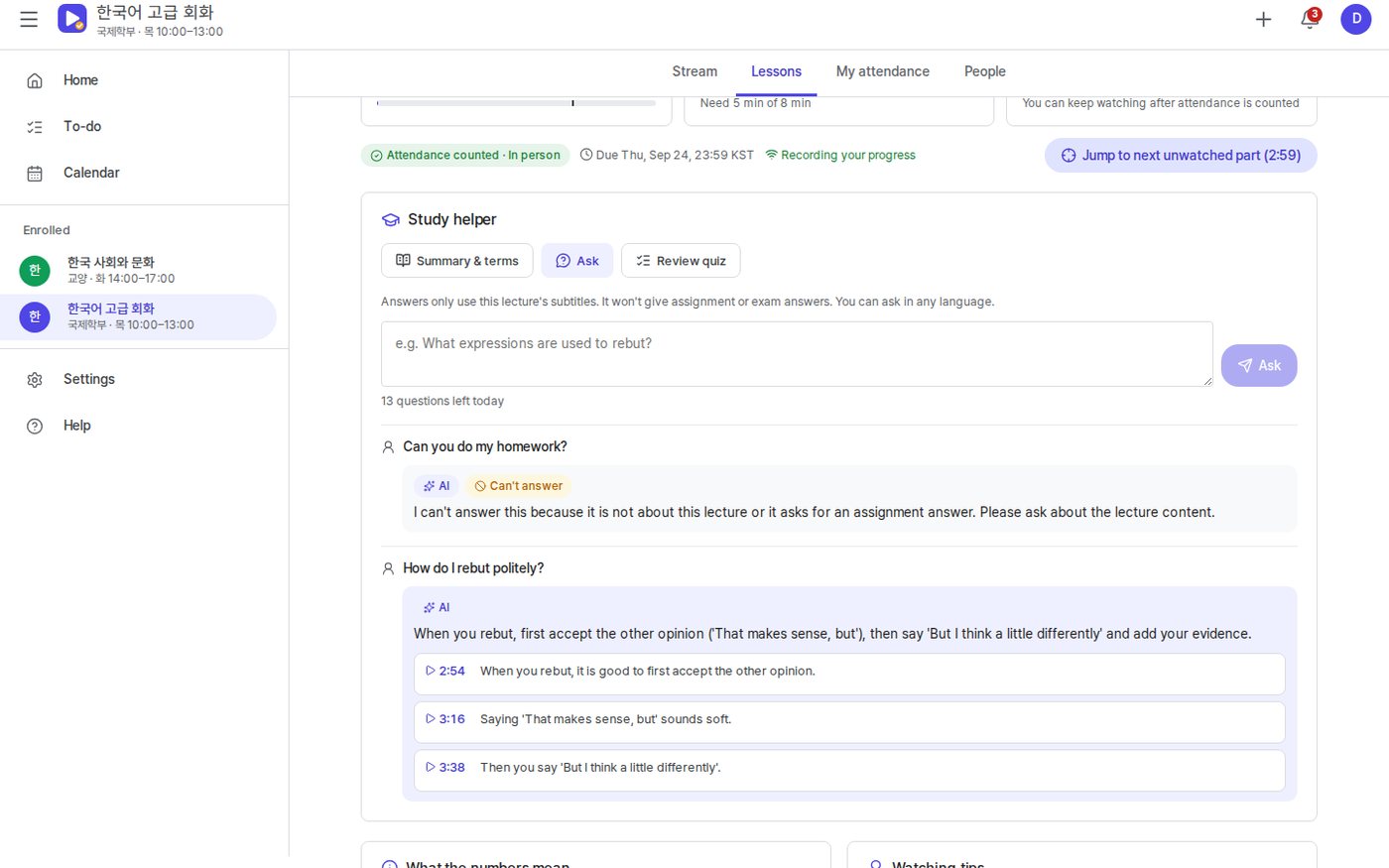
Whatever language a student asks in, it answers from the lecture captions alone and jumps to that point in the video. Instructors see frequently asked questions without names attached.
Attendance-risk notice drafts
For students who were absent, were not credited, are close to a recording deadline or fall short on attendance rate, it drafts the notice in both the student's language and Korean, to be sent after review.
AI features are optional and are configured around your own data and workflows.
How deployment works
Consultation & demo
We listen to how you work and go through the features together on the demo site.
Requirements
We separate what the standard features cover from what needs custom development.
Setup & custom development
We configure your organisation, permissions and forms, and develop the features you need.
Data migration & training
We move your existing data and train administrators and users.
Go-live & operation
After go-live we continue with maintenance and improvements.
On-premise build
We install it on your own servers or cloud and add custom development. The scope of source code provided is set in the contract.
Subscription
You use it directly on the MEGAPARK cloud, month by month with no upfront cost.
FAQ
Can we try a demo first?
How much does it cost?
How is Zoom attendance checked?
What do we need in order to use the AI features?
Is it safe for student data to go out to an AI?
Does the AI affect attendance?
Other solutions
MEGAWORK ERP
Accounting, tax, HR, sales and inventory with electronic approval in one place — and an AI assistant on top.
CRMMEGAWORK CRM
Manage leads, the sales pipeline, customer activity and quotes, with an AI sales assistant to summarise and suggest.
LMSEDUSONIC
A learning management system (LMS) for local government public academies and education foundations. Recruitment and selection through diagnosis, classes, assessment, mentoring, attendance, growth reports and performance indicators, all run in one system.
Academy management · LMS+ERP+CRMEDUTRIO
Academy operations in one place, from the first consultation through classes, learning and billing — with AI that cuts your teachers' paperwork.
Try Aulavo
as a demo first
You can request demo account details or a live walkthrough over video. Custom development and AI features are mapped out together during the consultation.