
EDUSONIC
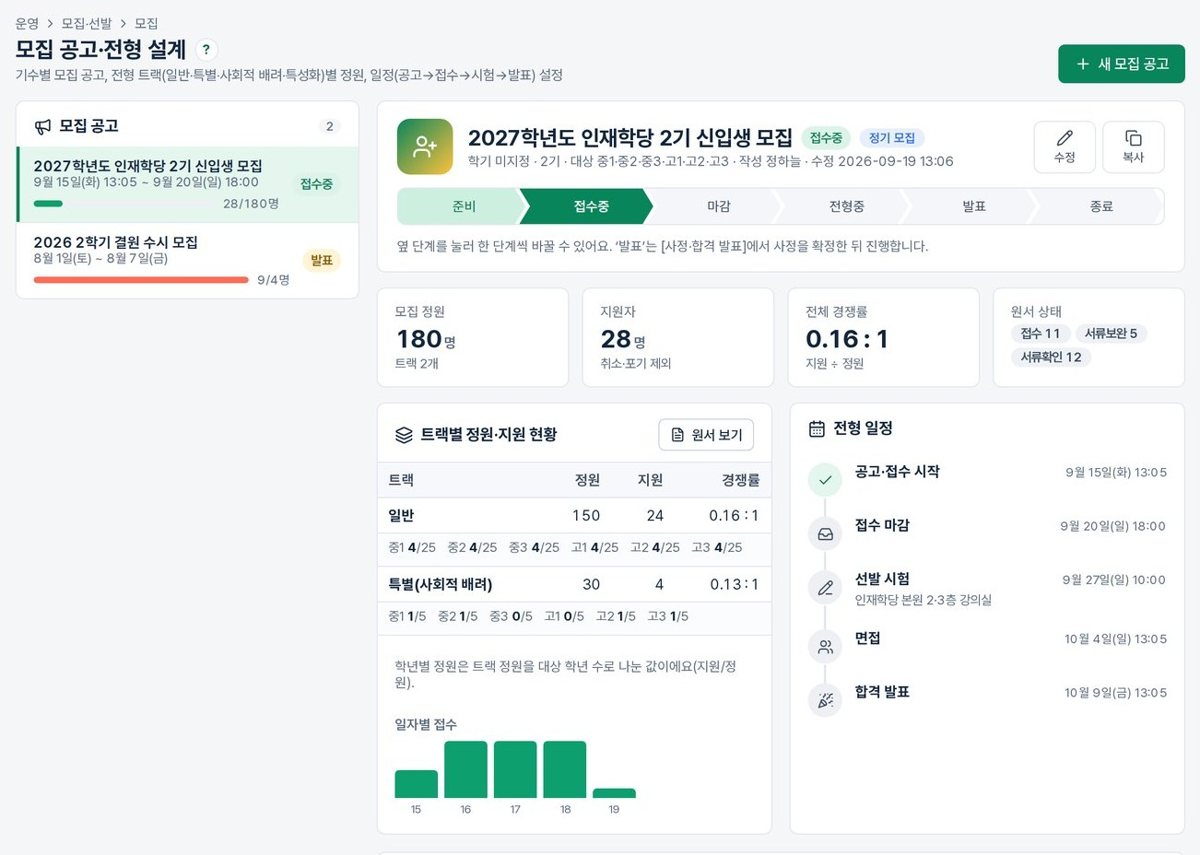
A learning management system (LMS) for local government public academies and education foundations. Recruitment and selection through diagnosis, classes, assessment, mentoring, attendance, growth reports and performance indicators, all run in one system.
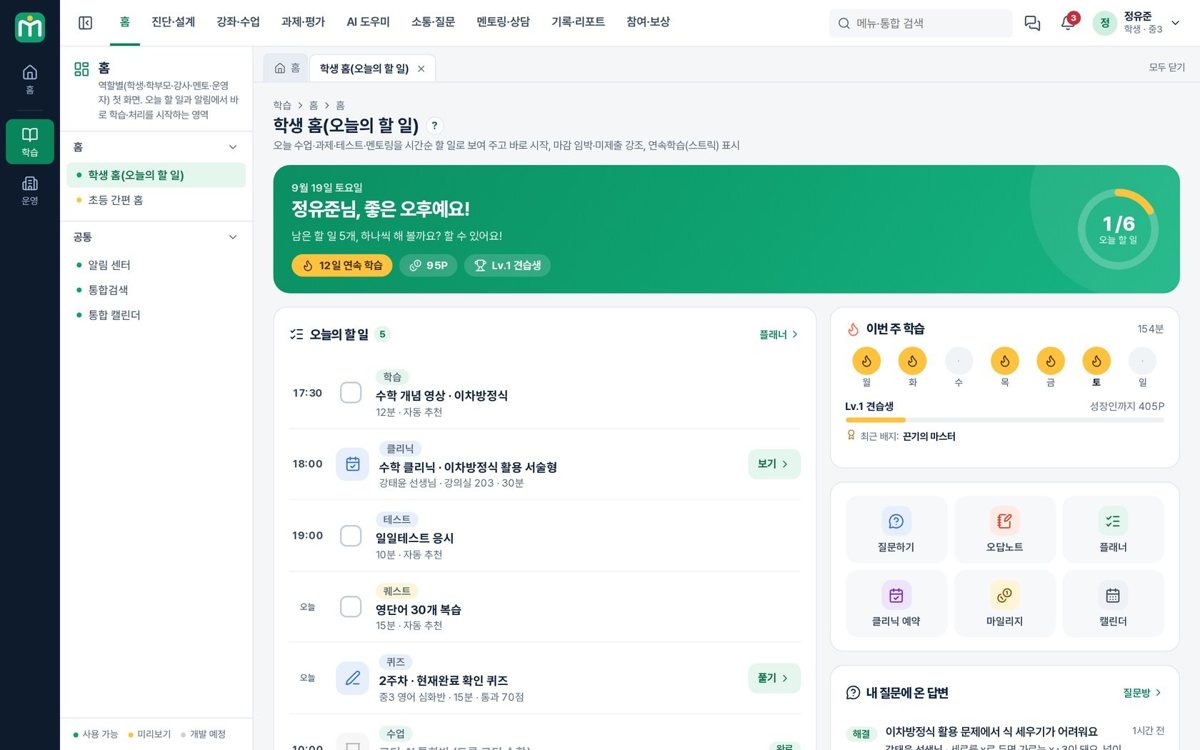
EDUSONIC is a learning management system (LMS) for education institutions. Everything from opening a course to attendance, assignments, assessment and communication is managed in one place, while an AI tutor that leads with hints instead of answers, and teacher-facing AI tools such as item generation, answer drafts and monthly comments, cut the time spent on lesson preparation and feedback.
A good fit for · Education institutions, corporate training teams and organisations running online courses
The problems it solves
Key features
Courses & classes
Course setup, timetables and online lessons
Attendance
Present, late and absent records, with alerts
Assignments & assessment
Submissions, grading and grade records
Learning progress
Progress and participation per learner
Communication
Notices, alerts and one-to-one inquiries
Mobile
Mobile screens for learners and teachers
Screens
Click an image to see it larger.
AI features
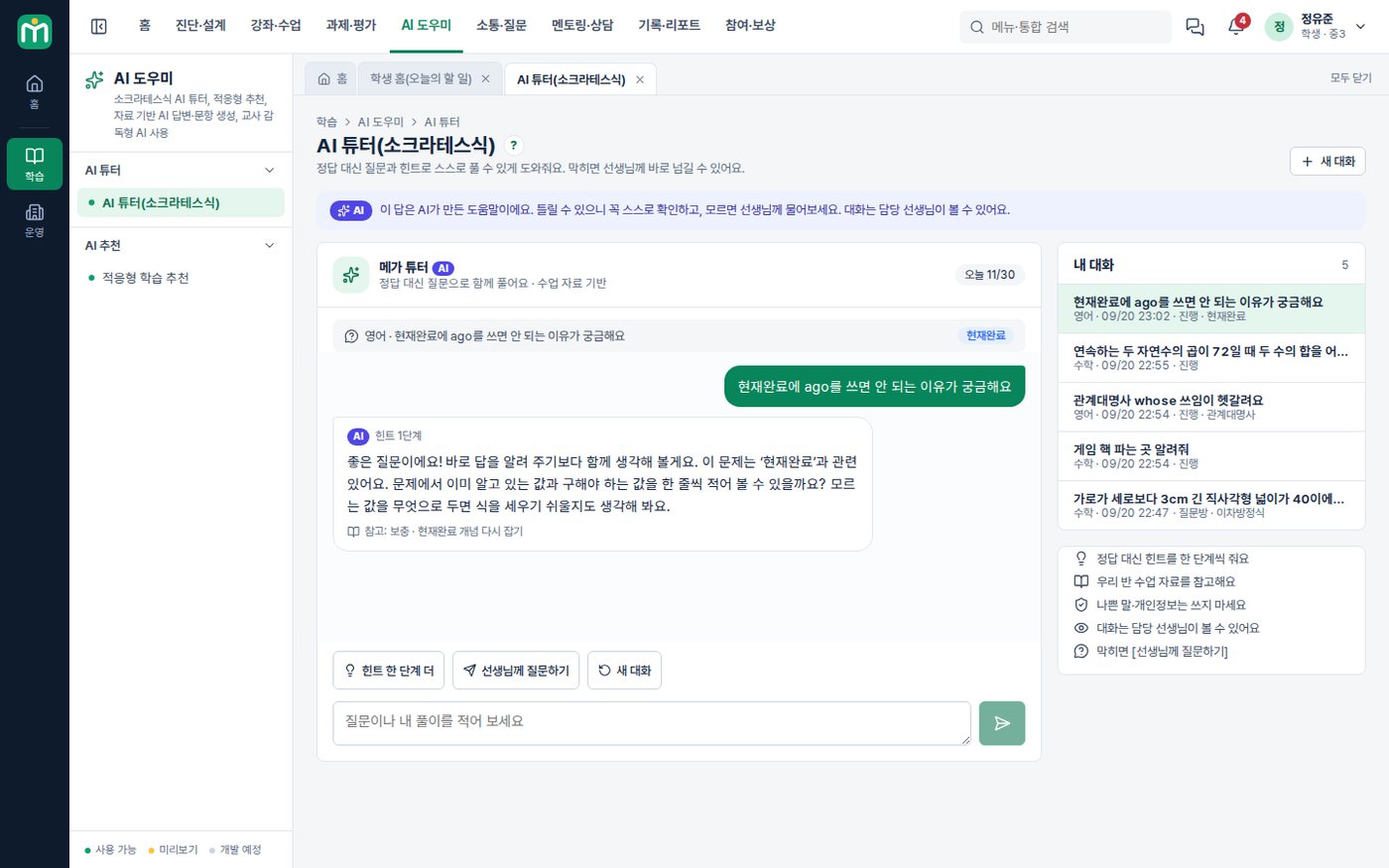
AI tutor (Socratic)
Instead of handing over the answer it gives hints one step at a time, grounded in your own class materials. When a student is stuck it passes the question to the teacher along with a summary of the conversation.
Answer drafts
For questions on the Q&A board it drafts a reply from the class materials and question-bank explanations, and the teacher checks it before it is published.
Adaptive recommendations & personalised test papers
It picks today's recommended questions for each student from their wrong answers and weak concepts, and builds and distributes a different test paper for each one.
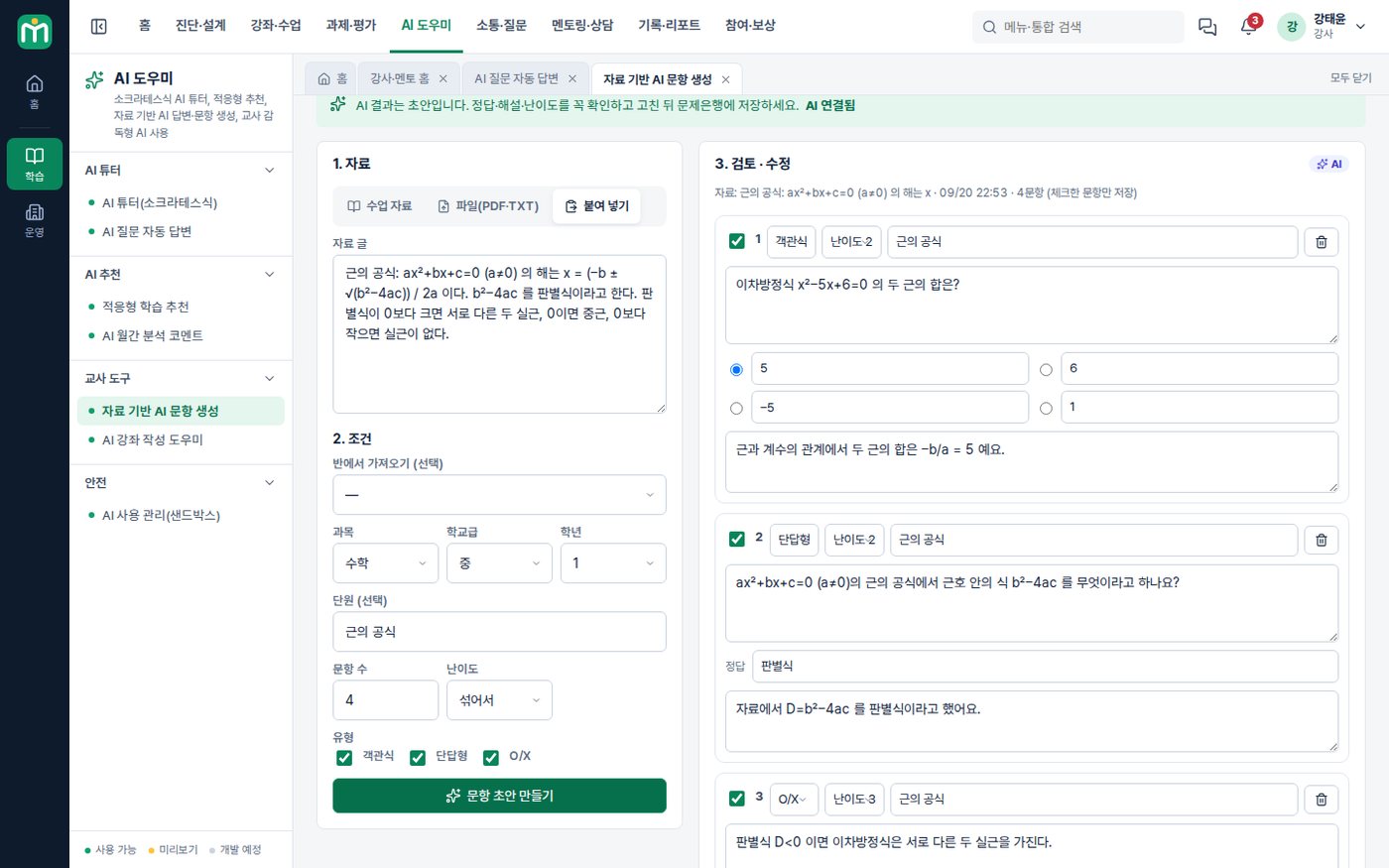
Item generation from your materials
From class materials, PDFs or pasted text it drafts multiple-choice, short-answer and true/false items with explanations, and saves them to the question bank.
Monthly comments & course outlines
It drafts the comment for the monthly growth report, and from unit objectives it drafts a week-by-week course outline, rubric and notice.
Managing student AI use
You set which grades may use it, guardian consent, the number of questions a day, night-time restrictions and blocked words, and teachers review the conversation logs, flagged items and weak concepts.
AI features are optional and are configured around your own data and workflows.
How deployment works
Consultation & demo
We listen to how you work and go through the features together on the demo site.
Requirements
We separate what the standard features cover from what needs custom development.
Setup & custom development
We configure your organisation, permissions and forms, and develop the features you need.
Data migration & training
We move your existing data and train administrators and users.
Go-live & operation
After go-live we continue with maintenance and improvements.
On-premise build
We install it on your own servers or cloud and add custom development. The scope of source code provided is set in the contract.
Subscription
You use it directly on the MEGAPARK cloud, month by month with no upfront cost.
FAQ
Can we try a demo first?
How much does it cost?
Can we upload video lessons too?
What do we need in order to use the AI features?
Is it safe for student data to go out to the AI?
Won't students just get the AI to do their homework?
Other solutions
MEGAWORK ERP
Accounting, tax, HR, sales and inventory with electronic approval in one place — and an AI assistant on top.
CRMMEGAWORK CRM
Manage leads, the sales pipeline, customer activity and quotes, with an AI sales assistant to summarise and suggest.
Academy management · LMS+ERP+CRMEDUTRIO
Academy operations in one place, from the first consultation through classes, learning and billing — with AI that cuts your teachers' paperwork.
Attendance LMS for international studentsAulavo
On-site classes, Zoom sessions and recorded replays in one attendance register, with AI captions, translation and a study helper in 4 languages.
Try EDUSONIC
as a demo first
You can request demo account details or a live walkthrough over video. Custom development and AI features are mapped out together during the consultation.